
Turn your idea into a Roblox game.
Real Luau files, Git, and live Roblox Studio sync. Build with your team and the coding agents you already trust.


Hey! I'm a solo dev. I made Bricklayer for the Roblox community, so you can build the game in your head without the setup getting in the way.
The professional Roblox workspace.
A real codebase, the agents you trust, and a live connection to Studio. Go from an idea to reviewed code and a game you can play.
 ChatGPT
Tells you what script to write.
bricklayer
Writes it. Hardens it. Playtests it.
- Write
- Harden
- Playtest
- Iterate
Your game, as a real codebase.
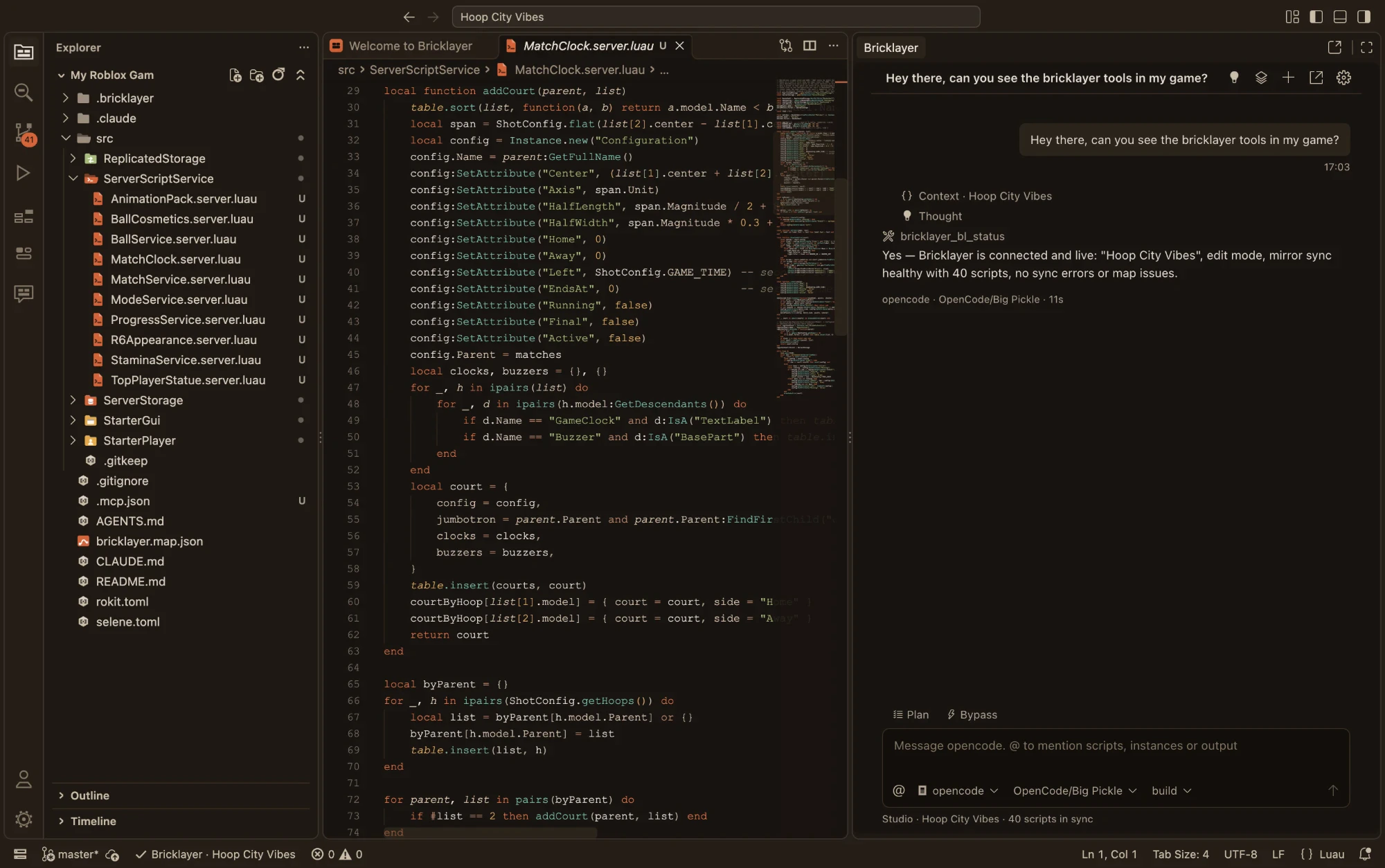
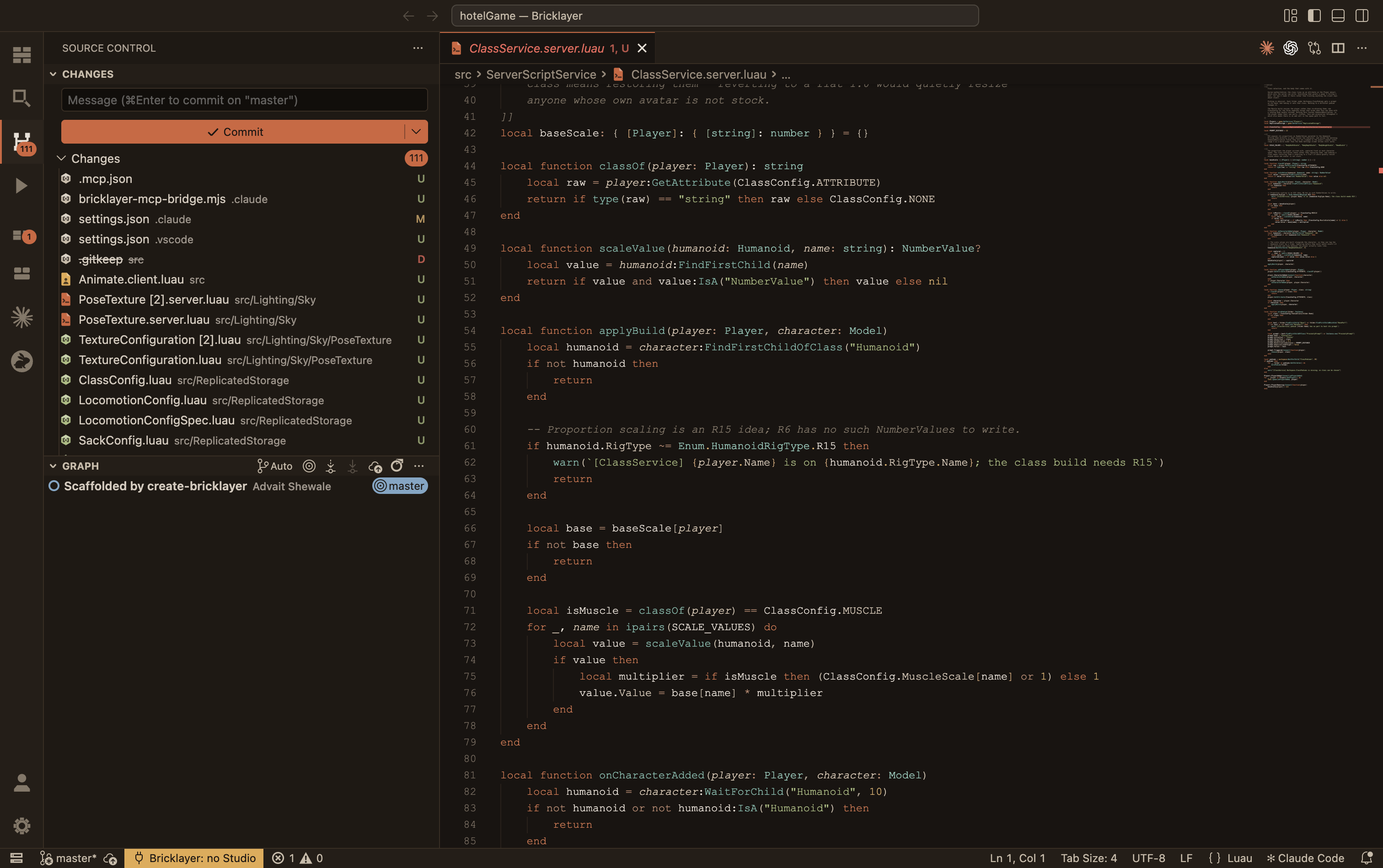
Work in ordinary Luau files with a project structure your team and tools can understand. Review a diff, create a branch, or go back to a version that worked. It is all built into the editor.
- Typed Luau and real file paths
- Native Git, branches, and clean diffs
- Two-way sync with Roblox Studio
From Studio to your next release.
Make your first game- 01
Connect your place
Open your Studio project and mirror its scripts into a structured Luau codebase. Keep the editor and Studio in sync as you work.
- 02
Build together
Write code yourself or hand a task to your agent. Your team works in the same repository, with shared context and clean diffs.
- 03
Review. Playtest. Repeat.
Inspect the changes, commit the work, and test it in Studio. Let the next playtest inform the next iteration.
One codebase. Every agent you trust.
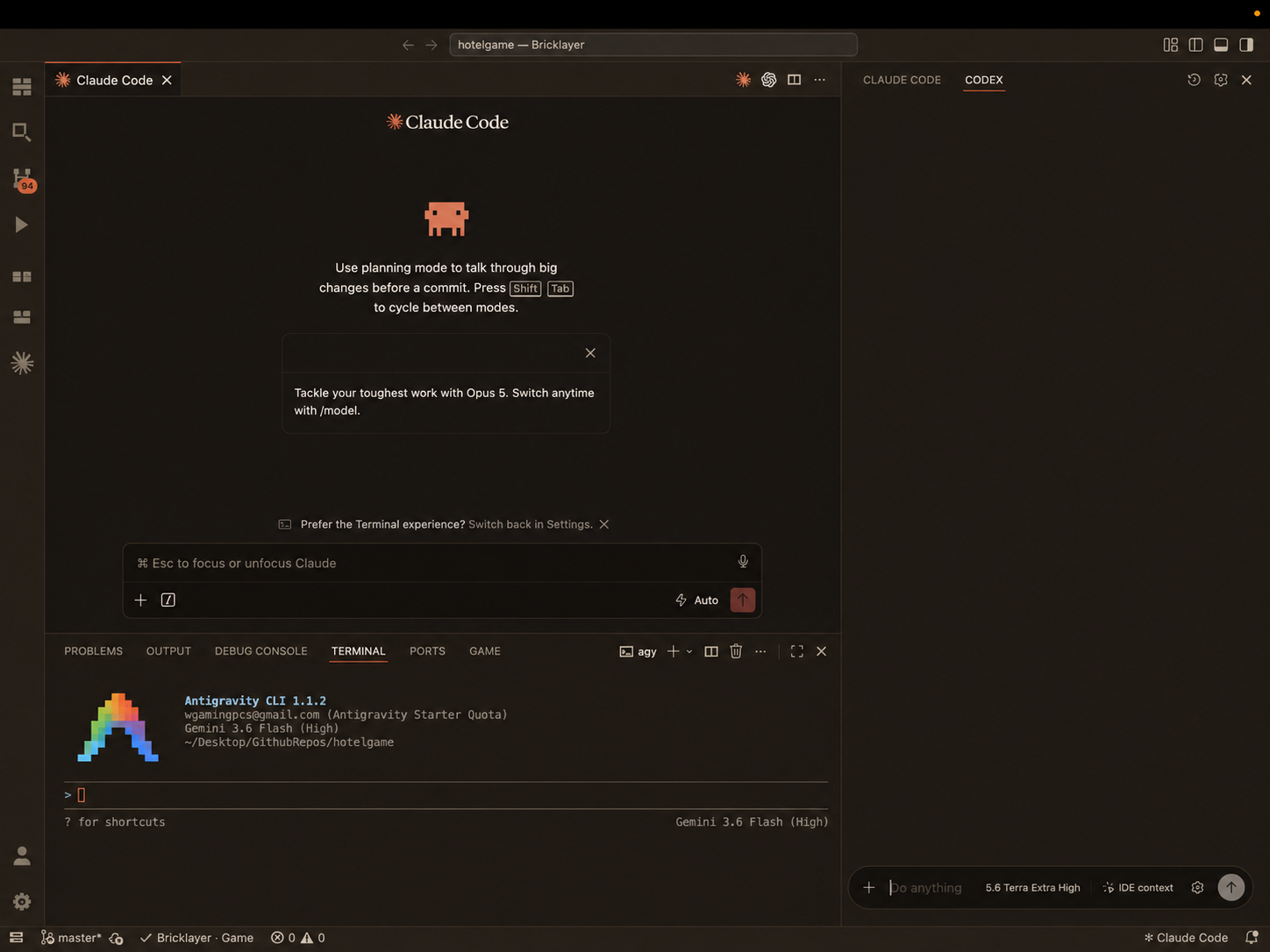
Bring the coding agents you already use. They work alongside you in the same files, on the same branch, with the same live Studio connection. Every contribution stays visible and reviewable.
- Claude Code
- Main panel
- Codex
- Sidebar
- Antigravity CLI
- Terminal
- Your preferred agent
- Any tool that edits files
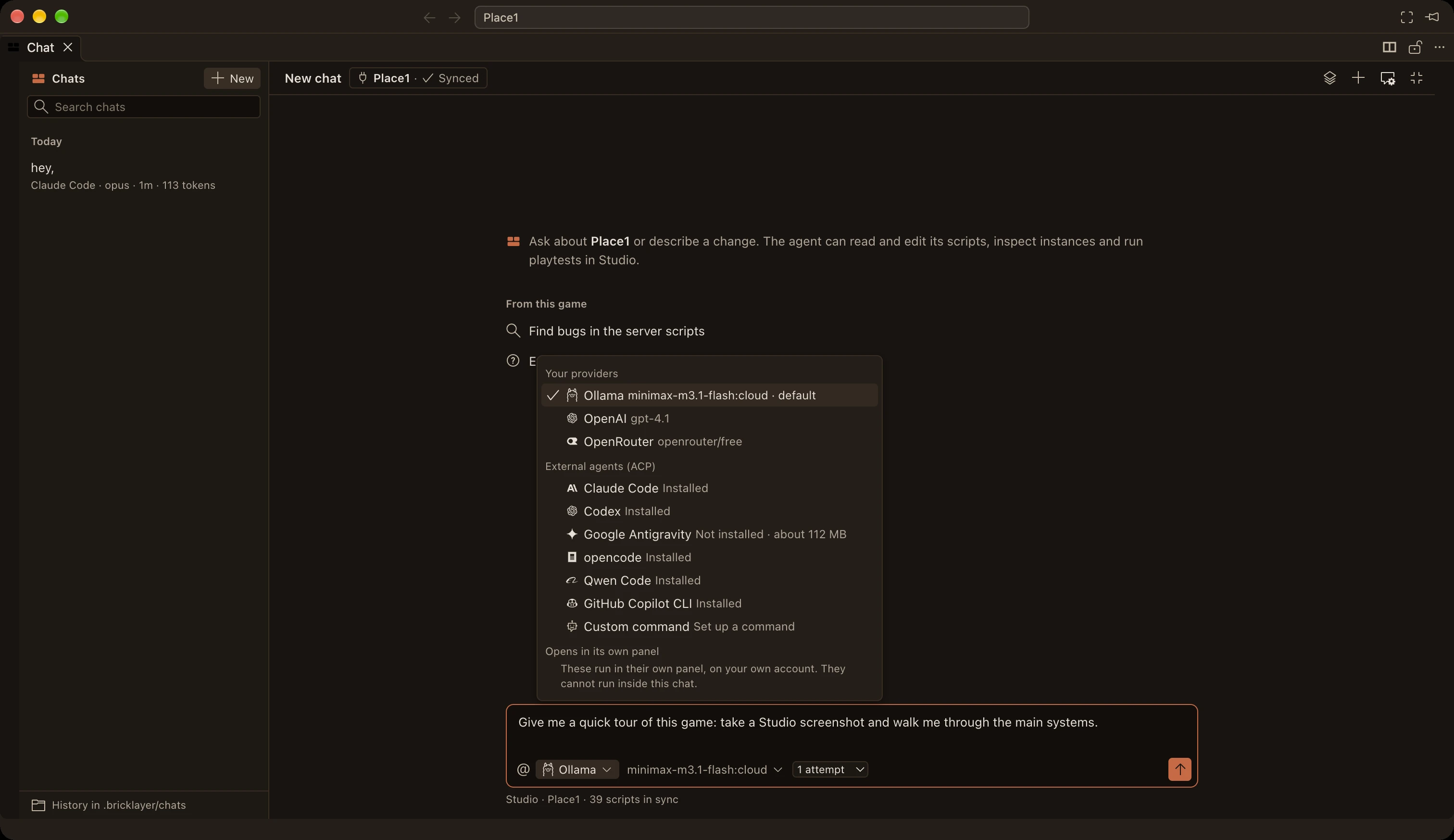
Any ACP agent. One editor chat.

Bring any agent that supports the Agent Client Protocol (ACP). Pick the agent and model for each chat, give it a task, and review its changes right in the editor.
Claude Code, Codex, Google Antigravity, opencode, Qwen Code, and GitHub Copilot CLI are built in. You can also connect an API model or run one locally with Ollama.
Choose your AI setupAnimations, from a sentence.
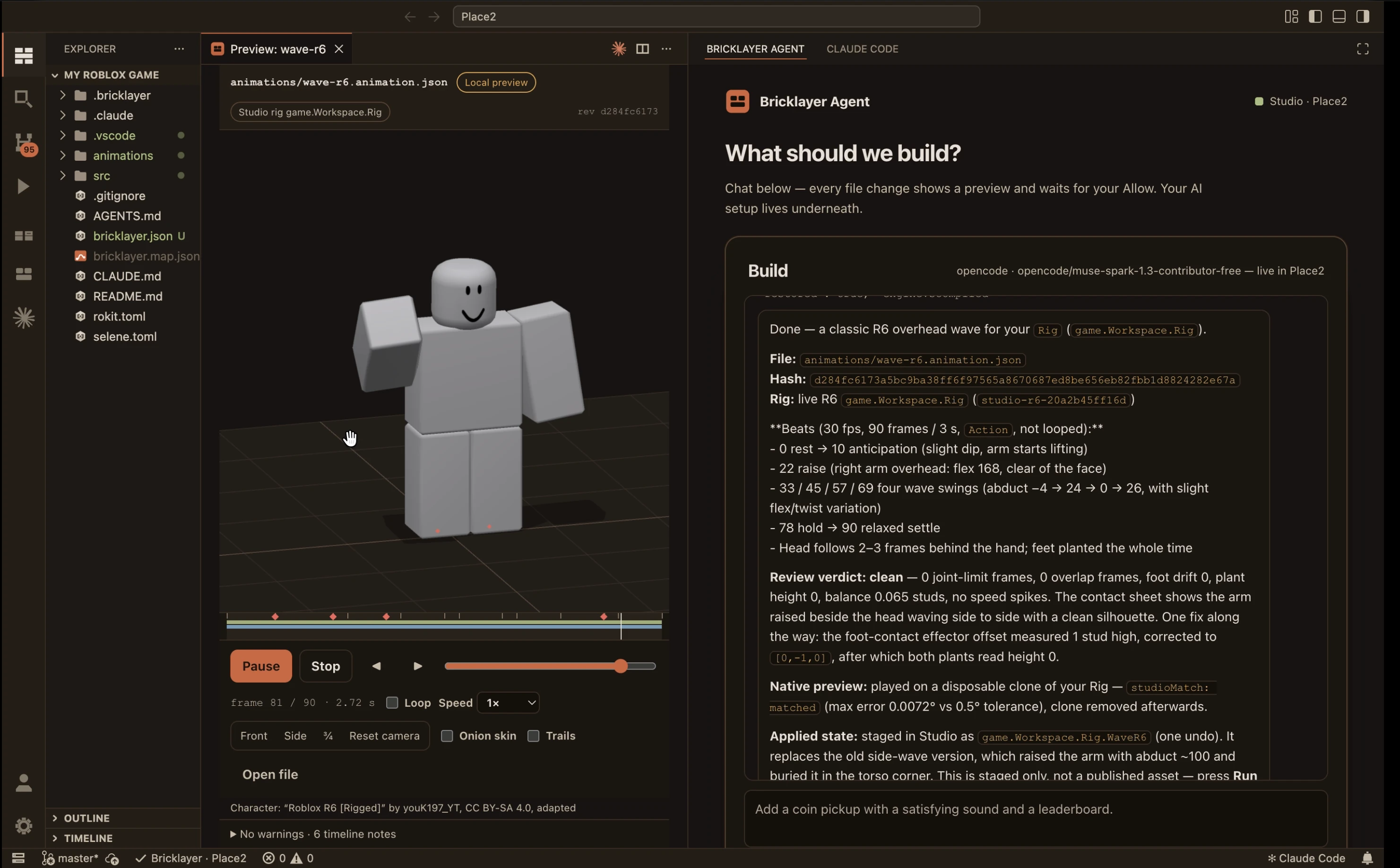
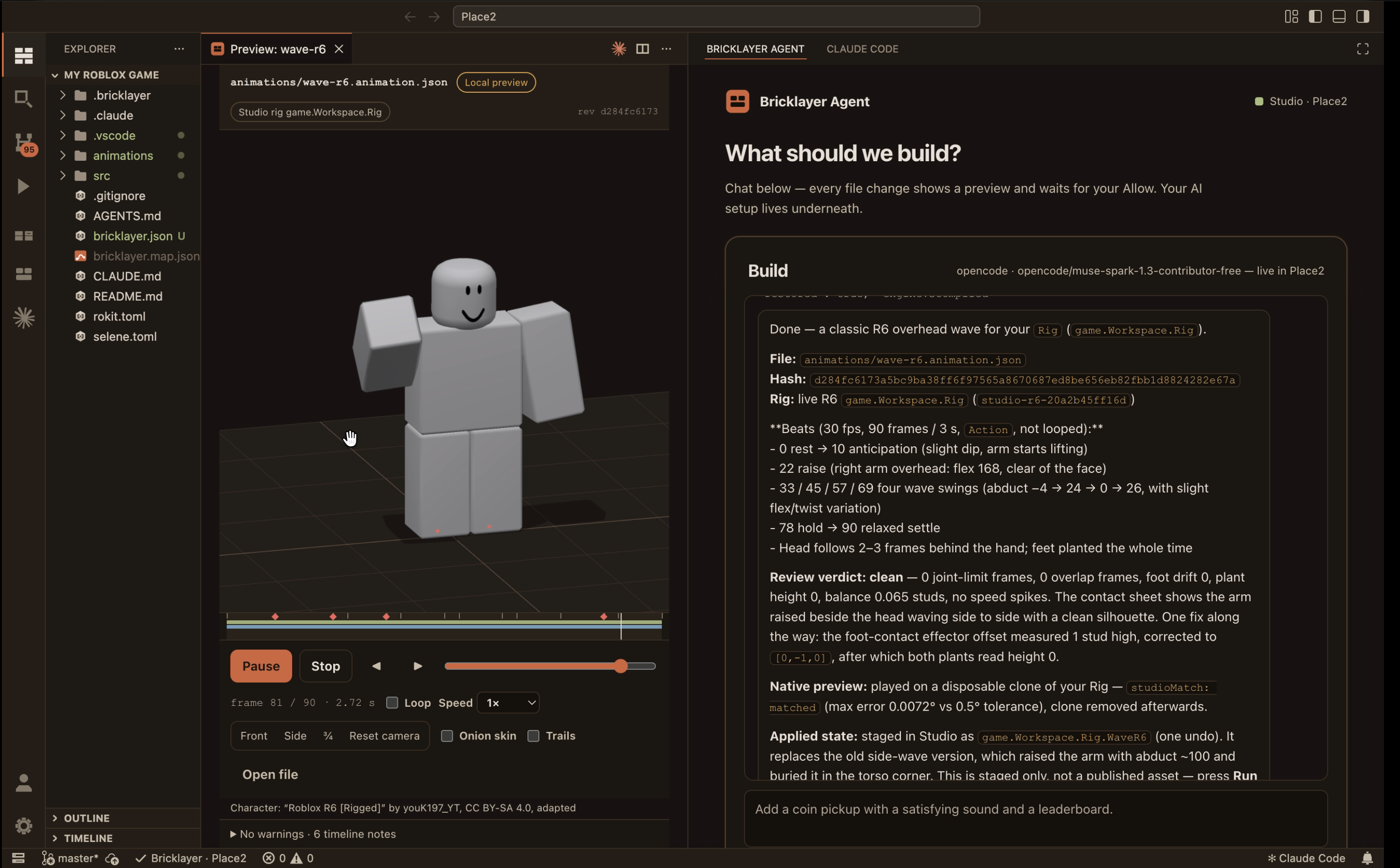
Ask for a wave, a crouch, or a sword swing. Your agent plans the beats, writes the clip, and plays it back next to the chat. Then it checks its own work before anything reaches Studio.
Works with R15, R6, and custom Motor6D rigs in your place. Early release: you publish the finished clip from Studio.
- Saved as a readable file in your project
- Previewed on a live character as it is written
- Checked for clipping, foot slide, and joint limits
- Staged in Studio as a native KeyframeSequence
Your agent, inside Roblox Studio.
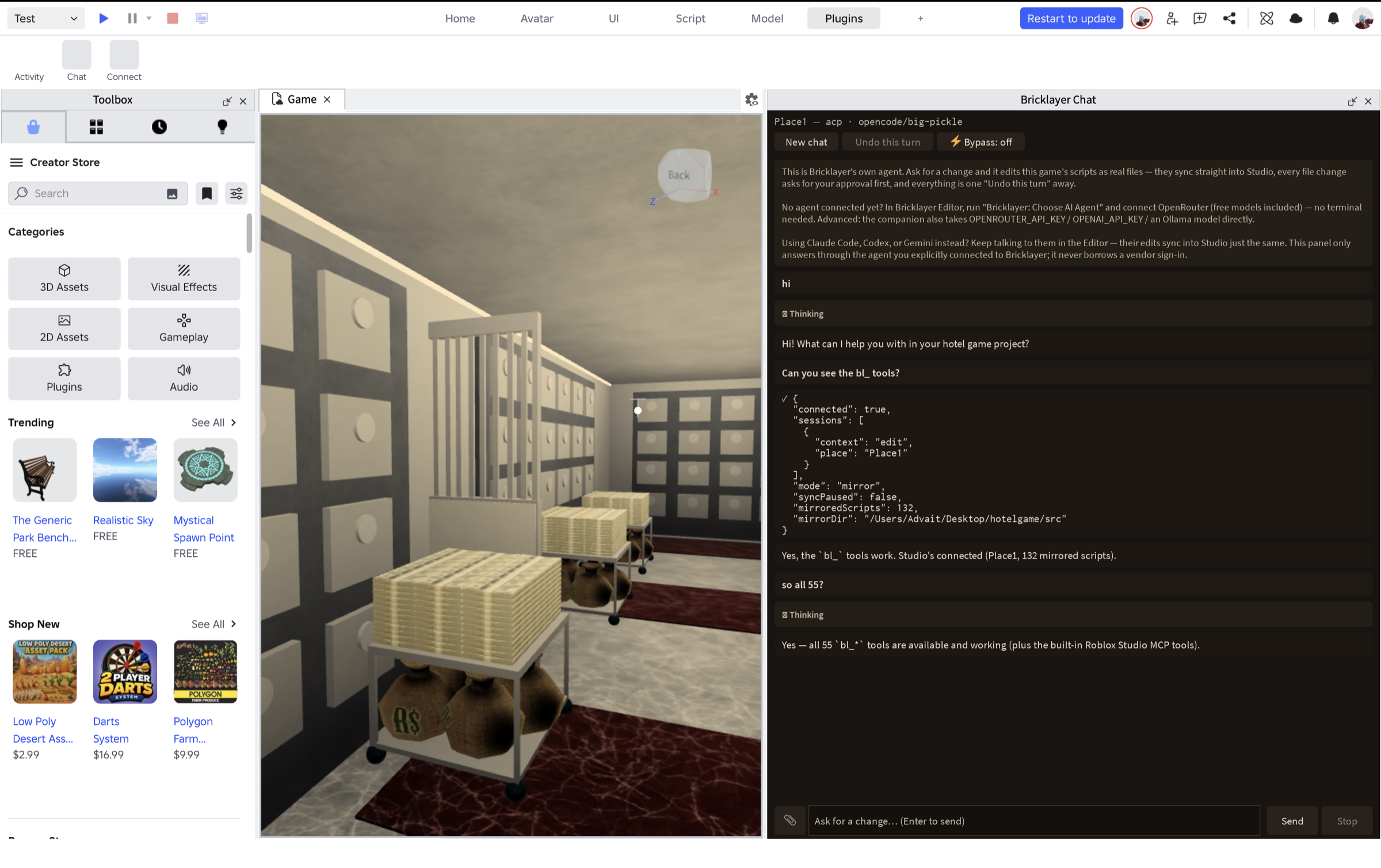
Prefer to stay in Studio? Run your coding agent in the Bricklayer dock, right next to the viewport. The Agent Client Protocol connects the agent you already use to the game you are building.
Built-in presets for Codex, Gemini CLI, opencode, Qwen Code, and GitHub Copilot CLI. Connect Claude Code or another ACP agent by command.

Your account
Sign in to your agent as usual. It runs as its own program, using your existing account and plan.
The whole toolset
All 55 Bricklayer tools: edit scripts, inspect the data model, run tests, take screenshots, and start a playtest.
Changes you control
Review Allow and Deny cards with diffs. Changes inside Studio stay undoable with Ctrl+Z.
How Bricklayer compares
Most Roblox AI tools live inside Studio as a plugin, which makes them easier to start and harder to leave. Bricklayer takes the other trade: you install an editor, and in return your game becomes a real codebase that your own agent can read, edit, and playtest, in files you keep.
| Capability | Bricklayer | Ropilot | Ropanion | SuperbulletAI | Roblox Assistant |
|---|---|---|---|---|---|
| Real .luau files on disk: git, grep, clean diffs | |||||
| Runs in your own editor with your agent’s native tools | |||||
| Bring any model, including free local (Ollama) | |||||
| Autonomous playtest: input, screenshots, iterate | |||||
| Every edit undoable, with checkpoints & diff approval | |||||
| Built-in terrain, datamodel & analysis toolset | |||||
| No lock-in: portable project, Rojo-ready | |||||
| Nothing to install: works inside Studio alone |
Our own reading of publicly documented features as of August 2026. “Partial” means available with limits or extra setup. These tools ship fast, so if we have something wrong here, tell us and we will fix it.
Give Bricklayer some love.
Bricklayer is built with late nights, carefully placed bricks, and a concerning amount of hot cocoa. If it has helped you build, leave a heart.
“Bricklayer is a niche and super cool tool to use. For a builder and modeler like me that doesn't know anything about scripting, Bricklayer does the tough and tedious scripting to make my ideas remotely possible. Bricklayer is also relatively easy to install and set up, but even easier to use, and it's not just scripting, it can make nice looking maps too.”
 Kakusa3000
0 happy developersgave Bricklayer some love
Give your Roblox project a real development home.
Work with real Luau files, native source control, and an agent-ready workspace built for your whole team.
macOS and Windows · Free to use · Built for Git